In short: Getting a corporate website built involves discovery, page structure, design, development, content, testing and launch. The timeline depends most on the number of pages, whether the text and photos are ready, how fast approvals come and integrations. Check at the start of the project that the domain name is registered in your company’s name; on launch day, also take over the admin account, the latest backup and the KVKK (Turkish Personal Data Protection Law No. 6698) notices.
When you decide to get a corporate website built, one of the first questions is “How long will it take?” The answer depends on the scope and on how prepared both sides are. That is why in this article we explain what lengthens and shortens the timeline; we give the schedule in writing once the scope is clear. If the page list is settled from the start, and who will write the texts and who will give approvals has been discussed, the project moves along as planned. In the rest of the article we go through, in order, what to prepare before you start, the steps of the process, what to take over from the agency on launch day and what to do after launch. You can find the scope of our service on our corporate web design page.
Before getting a corporate website built: goal, page list and content
If you go to the first call with the agency having thought about these topics, the quote comes out clearer and the schedule is set realistically.
Define the main goal of the site
Write down the main action you want visitors to take on your site: fill in a quote form, call by phone, write on WhatsApp, download a catalog or submit a dealer application. Once the goal is clear, what the button on the home page says and where the contact details go become clear on their own. If you have more than one goal, put them in order of importance. Placing many calls to action of equal weight on every page makes the visitor’s decision harder.
Draw up the page list
The page list of a corporate site usually consists of these headings:
- Home
- About Us (company history, team, certificates)
- Services or products; a separate page for each service or product group
- References or completed projects
- Blog or news (if you will write regularly)
- Contact (form, map, phone, WhatsApp)
- KVKK notice and cookie policy
If you describe each service on its own page, a visitor looking for that service reaches the relevant page directly, and search engines can more easily tell which page covers which topic. When writing the list, add a one-sentence purpose next to each page. A page whose purpose you can’t write can be removed from the list or merged with another page. If you are renewing an existing site, also list the old site’s addresses, because at launch these addresses will need to be redirected to the new pages.
Who has the content?
In corporate site projects, content is the topic that most often stretches the timeline. Waiting for texts and photos after the design is approved ties the team’s hands. Before you start, decide who has the following and who will prepare it:
- Will your own team or the agency write the service and product texts? Brochures, catalogs and texts from the old site can be a good starting point, but check whether they are still current.
- Have the logo’s vector file (SVG, AI or PDF), color codes and, if you have one, the corporate identity guide ready.
- Gather photos of the team, office, production area and products. If you will use your own photos instead of stock images, put the shoot on the calendar early.
- Get permission to use the client logos and projects you will show as references.
- Settle your certificates, address and working hours, and the email address that messages from the forms will go to.
If the final texts are ready before they go into the design, you approve the design with real content and the layout doesn’t break later.
The process of getting a corporate website built, step by step
Most corporate site projects follow the order below. Some steps run in parallel; for example, content preparation can start at the same time as design.
- In discovery, we discuss the goal of the site, the target audience, the sites you take as examples or compete with and, if there is one, the data from the current site. At the end of this step you have a written scope and schedule.
- In page structure, the page list turns into a menu and what sections each page will have is drawn in a rough skeleton. On the site we built for laminate flooring manufacturer KPS Lamine, we grouped the menu under Corporate, Laminate Flooring, Products and Media and divided the product range into categories.
- In design, the home page and one sample inner page are prepared first. Once these two are approved, the other pages are designed in the same visual language. Approve the phone view separately. Decide before this stage whether you will go with a ready-made template or a design made for your brand; we explain the differences on our custom design solutions page.
- In development, the approved design is coded and the admin panel is set up. Forms, WhatsApp, maps and analytics tools are connected. Integrations such as a CRM, an appointment system, inventory software or a payment infrastructure are also done in this step.
- In the content step, texts and visuals are placed on the pages. Page titles, descriptions and image alt text are written, and images are compressed.
- In testing, the site is tried on a phone, a tablet and a computer, in different browsers. We check that forms reach the right address, links work, the cookie panel shows and pages open quickly.
- At launch, the domain name is pointed to the new site and the site opens over https. In renewal projects, old addresses are redirected to the new pages. It is normal to keep the site closed to search engines during development; be sure to check that this setting has been removed at launch.
What does the timeline depend on?
It wouldn’t be right to say how long a project will take before the scope is clear. Two projects with the same number of pages can finish on very different timelines depending on whether the content is ready. The timeline is shaped most by these factors:
- As the number of pages grows and the pages differ from one another, the timeline gets longer. Service pages that look alike are prepared with a shared layout; pages that each need their own layout add time to design and development.
- If the texts and photos are ready from the start, design and content move in parallel. While content is awaited, the schedule waits too.
- When feedback arrives is reflected directly in the schedule. Having one person give feedback in a single batch prevents conflicting comments.
- Connecting to a CRM, appointment, inventory or payment system requires access details and a test environment from the other system. If these arrive late, launch is delayed too.
The number of languages and moving content from the old site also affect the timeline. Ask the agency for the schedule in writing. Make sure the schedule shows the agency’s delivery dates and the deliveries expected from you (texts, photos, approval dates) separately. We share the schedule in writing after the first call.
What to take over from the agency on launch day
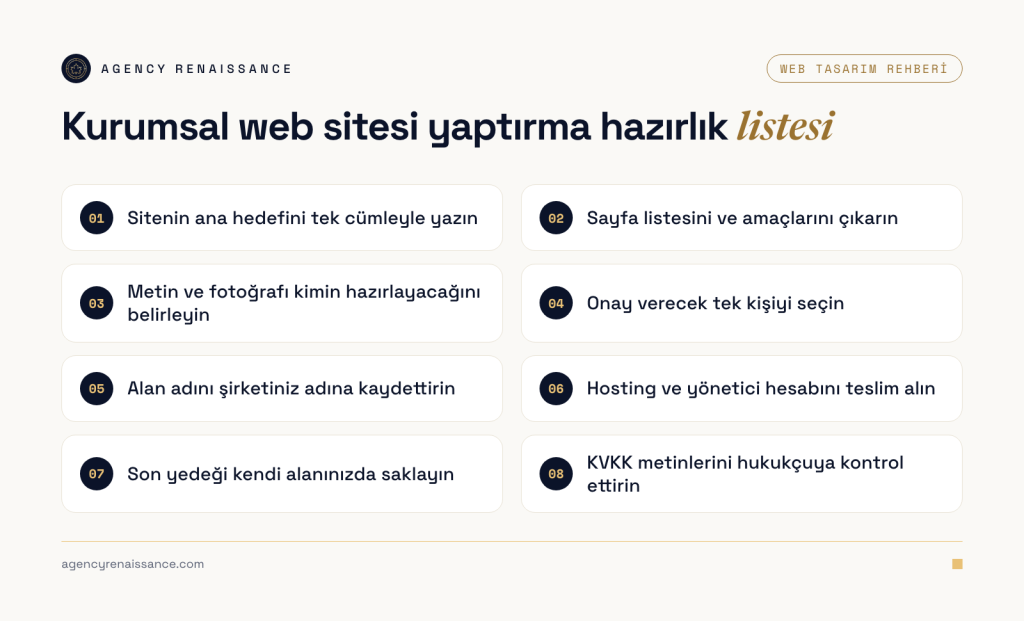
When the site goes live, everything looks like it works. Gaps often show up when you part ways with the agency or when a renewal date is missed. Before launch, go through the list below together with your agency.
Keep the domain name registered in your company’s name
For a .tr domain name, the person or company that will own the domain name applies through the website of its preferred registrar. According to the TRABİS frequently asked questions page, a domain name is allocated for a minimum of one and a maximum of five years at a time, and the registrar notifies the domain name holder by email at least three months before the term ends. Finding that the information provided is incomplete or incorrect is listed among the grounds for canceling the allocation.
That is why you should ask for the application to be made under your company’s legal name. Since the renewal notice arrives by email, the address in the registration should be a shared company address rather than an employee’s personal one. Keep the login details for the registrar panel with you as well. If the domain name was registered earlier in the name of the agency or an employee, a transfer is possible according to TRABİS; for this you need to complete the registrar’s transfer form and the required documents. For extensions such as .com too, check that your company appears as the domain name holder in the registrar’s panel.
Hosting access and admin account
If the hosting account was opened in your name, take over the panel login details. If the agency provides the hosting, have the contract state in what format and how quickly you will receive the site’s files and database when the work ends.
The admin panel should have an admin account that belongs to you, opened with your own email address. The agency team should work with their own accounts. A single account that everyone shares with the same username and password makes it harder to track who changed what. Also find out in whose name the licenses for paid themes, plugins, fonts and stock images are taken and when they will be renewed. You should also be the owner of the Google Search Console and Google Analytics properties; you can add the agency to these properties as a user.
Keep the latest backup in your own space
On launch day, ask for a full backup of the site, meaning the files and the database. Keep this backup somewhere separate from the server the site sits on and that you can access. A backup that exists only on the server can be lost along with the site if something goes wrong on the server. After launch, ask how often backups are taken and where they are kept. Also find out when restoring was last tested, because a backup that has never been tried may not open when you need it.
KVKK notice and cookie panel
A contact form collects personal data such as name, phone number and email. Analytics and advertising tools also process visitor data through cookies. The Turkish Personal Data Protection Authority (KVKK)’s July 2025 Guide on Cookie Practices states, under Article 10 of the Law and the Communiqué on Disclosure, that the notice must be given at the latest when the personal data is obtained, and that the burden of proving it lies with the data controller. Ask the agency for two things: a notice prepared for the forms and tools on your site, and a cookie panel where the “reject” button is as visible as “accept”. The points that stand out from the guide are these:
- Cookies needed for the site to work, such as logging in, filling in forms and remembering privacy preferences, are defined in the guide as strictly necessary cookies and should not be used for marketing purposes.
- Cookies used for behavioral advertising require explicit consent. For explicit consent the visitor must take an active action; simply having entered the site is not considered enough.
- In the cookie panel that opens when a visitor enters the site, presenting the “accept,” “reject” and “preferences” buttons equally in color, size and font size is cited in the guide as an example of good practice.
- It is recommended that the cookie notice include the cookie’s name, purpose, duration of use and whether it is a first-party or third-party cookie.
- If there is data processing based on explicit consent, the notice and the obtaining of explicit consent should be carried out separately.
This information is general and does not replace legal advice. Have a lawyer check the notice prepared for the data your site collects, the cookie policy and the categories in the cookie panel before launch. Copying another site’s text is risky, because that text won’t cover the forms and tools on your site.
After launch: maintenance, speed and Search Console registration
Maintenance
A live site needs regular maintenance. The content management system, theme and plugins are updated, security vulnerabilities are closed, and backups are taken and tested. The renewal dates of the domain name and the SSL certificate are tracked. It is also necessary to check at intervals that forms work and no broken links remain. You can handle this work with your own team or leave it to the agency under a maintenance and technical support agreement. Whichever you choose, put in writing who does what and how often.
Speed and page experience
Google measures how fast pages load, how quickly they respond to interaction and how stable they stay while loading with three metrics called Core Web Vitals. According to the Google Search Central Core Web Vitals page, the targets for a good experience are as follows:
- The main content, measured by LCP (Largest Contentful Paint), should appear within 2.5 seconds at most after the page starts loading.
- The interaction response, measured by INP (Interaction to Next Paint), should stay under 200 milliseconds.
- The layout shift score, measured by CLS (Cumulative Layout Shift), should be under 0.1.
According to Google, these values line up with the page experience it wants to surface in search. You can monitor the values in the Core Web Vitals report in Search Console. Among the causes that often slow a site down after launch are large images uploaded without compression and plugins and tracking codes added over time. Watch for these when adding new content.
Search Console registration
Google Search Console shows which pages of your site have been indexed and which queries bring you clicks in Google searches. You can set it up with the steps on the Search Console help page:
- Add a new website property in Search Console. A domain property covers all subdomains of your domain name and both the http and https versions, and is verified only with a DNS record. A URL-prefix property covers only pages that start with the address you specify.
- Verify ownership. It can take a few days for data to start appearing.
- Submit your sitemap from the Sitemaps report. You can also add the sitemap’s address to the robots.txt file.
- In the first weeks, monitor the errors in the indexing report and the impressions and clicks in the Performance report.
According to Google, submitting a sitemap can speed up the discovery of your site. Even so, a sitemap is a hint and does not guarantee that Google will crawl every address in it.
Be the verified owner of the property and add the agency as a user. Adding or removing users in Search Console requires being the property owner. If you stop working with the agency, remove the agency’s verification token in addition to deleting the user. According to Google’s explanation, as long as the verification token stays on the site, a removed owner can verify ownership again. If you want to keep tracking your search visibility regularly after launch, you can look at our SEO service.
Common mistakes when getting a website built
You can prevent most of the mistakes below at the planning stage:
- Registering the domain name in the name of the agency or an employee.
- Leaving the texts for later and approving the design with sample text.
- Giving feedback from more than one person, in pieces and through different channels.
- Approving the design only on a computer screen and not checking the phone view.
- Not testing forms with a real message and noticing incoming requests weeks later.
- Not redirecting old addresses to the new pages when renewing the site.
- Copying KVKK and cookie texts from another site.
- Treating launch day as the end of the project and not planning maintenance.
Let’s draw up your site’s page list together
If you have filled in the preparation list in this article, bring it to our short call; we will talk through the site’s goal, the pages it needs and the schedule using that list. After that we send the scope and schedule in writing together with the quote. Because design, coding, text and photos come from the same team, we can plan content preparation inside the project as well.
Get in touch or write to us through the WhatsApp button on our site.
Frequently asked questions
How long does it take to get a corporate website built?
The timeline varies with the number of pages, whether the text and photos are ready, how fast approvals come and integrations. If the content is ready from the start and one person gives feedback in a single batch, the schedule gets shorter. At Agency Renaissance we share the schedule in writing after the first call.
In whose name should the domain name and hosting be?
The domain name should be registered in your company’s name, and the login details for the registration panel should stay with you. For .tr extensions, the application is made through the registrar in the name of the individual or legal entity that will own the domain name. If the agency manages the hosting, have the contract state how you will receive the site’s files and database.
Does a website need a KVKK notice?
If personal data is processed on your site through a contact form, cookies or an analytics tool, the disclosure obligation comes into play. According to the KVKK Authority’s cookie guide, the notice must be given at the latest when the data is obtained. Have the texts prepared specifically for your site and have a lawyer check them before launch.
Will the site show up on Google right away once it goes live?
It can take time for Google to discover and index a new site. Adding the site to Search Console and submitting the sitemap can speed up discovery, but Google states that this does not guarantee every page will be crawled. In the first weeks, monitor the indexing and performance reports.
What happens to my site if I stop working with the agency?
If the domain name, hosting, admin account and Search Console property are in your name, your site keeps running. Remove the agency’s user accounts, change the passwords and delete the verification token in Search Console too. Keep the latest backup somewhere separate from the server that you can access yourself.