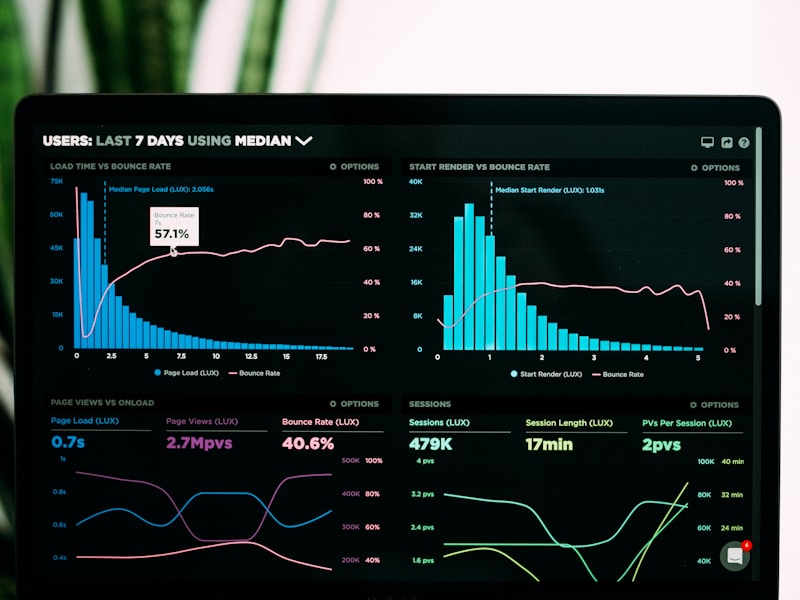
Maintenance and Technical Support
We keep your live software up to date, secure and running without interruption.

What we offer
- Security updates
- Performance monitoring
- Regular backups
Why do you need maintenance and technical support?
Maintenance and technical support is the full set of regular work that keeps your live website and software up to date, secure and working. A site looks finished on the day it goes live, but the software components it uses, the server environment, the browsers and the security threats keep changing every day.
A system that is not maintained usually breaks down slowly, not all at once. First a plugin starts throwing warnings, then the contact form stops sending email, and one day malicious code gets into the site through a hole in a component that was never updated. Regular website maintenance and software maintenance let you notice these small problems before they grow.
What changes after launch?
- Software components: new versions and security patches are released for the frameworks, plugins and libraries in use.
- Runtime environment: the official support periods of runtimes such as PHP or Node.js and of database versions come to an end.
- External services: payment, shipping, map or email services update their APIs and shut down old versions.
- Browsers and devices: new browser versions and screen sizes can affect how the site looks.
- Content and data: as the site grows, the database gets bloated, images pile up and pages can slow down.
Who is it important for?
Every live system needs maintenance, but in some cases maintenance and technical support is too important to neglect:
- Businesses that take orders, reservations or applications through their website.
- Custom software and admin panels that hold customer or employee data.
- Companies with no in-house software team that have parted ways with the team that built their site.
- Sites that use many plugins or external service integrations.
In-house or outsourced?
Businesses with their own software team can run maintenance in-house; in that case outside support may be limited to the server, security or a specific technology the team does not specialize in. For businesses without a technical team, maintenance often falls to whoever built the site, or to no one. What matters is that it is clear who is responsible for maintenance.
Website maintenance and software maintenance
Maintenance and technical support covers two different kinds of systems, and each has different needs. A corporate site built on a ready-made content management system and an application written specifically for your business are not maintained the same way.
Website maintenance
On sites built with content management systems such as WordPress, maintenance centers on updates to the core software, the theme and the plugins. Some of these updates close security holes, but every update also carries a risk of incompatibility. So website maintenance is not just pressing the update button; it means trying the update on a test copy first and then checking the site’s core functions.
Removing unused plugins, reviewing admin accounts and checking that contact forms really send email are also part of the job. You can find the official guides on updates and security in the WordPress documentation. If you are thinking of renewing your corporate site, take a look at our corporate web design services.
Periodic checks in website maintenance
Besides updates, these are the points to review at set intervals as part of website maintenance:
- Whether contact, quote and application forms really arrive.
- Whether the payment and cart steps, if any, work from end to end.
- Broken links and pages that cannot be found.
- Crawl and indexing errors shown in Google Search Console.
- Admin accounts, unused users and password hygiene.
- Server disk space and warnings that keep repeating in the error logs.
Software maintenance
In custom-built web applications, mobile apps and SaaS products, software maintenance covers a wider area. The core tasks are tracking security updates for the framework and libraries in use, moving the runtime to supported versions, database maintenance and keeping up with changes in external services.
For mobile apps, operating system updates and changes to store rules are added to this list; we cover that topic separately on our mobile app development page.
Dependency and version management
A modern application relies on dozens of open source packages developed by others. During software maintenance, automated scanning tools can help track vulnerabilities announced in these packages. Minor version updates usually go through without trouble, while major framework version upgrades may require code changes; we recommend handling these upgrades as planned work instead of leaving them to the last minute.
The same goes for the runtime environment. Every version of a runtime such as PHP receives security updates for a set period; once that period ends, no official updates are released for the vulnerabilities found in that version. When moving from an old version to a new one, the code has to be tested for compatibility, which is why these upgrades are planned ahead in the software maintenance calendar.
Four types of maintenance
In software engineering, maintenance work is usually grouped into four categories:
- Corrective maintenance: fixing bugs as they appear.
- Adaptive maintenance: adapting the system to new operating system, browser, server or external service conditions.
- Preventive maintenance: improving points that have not caused problems yet but carry risk.
- Perfective maintenance: improving existing functions according to user needs.
How much weight each category carries in software maintenance depends on your system. In a newly launched application corrective maintenance comes first, while in a system that has been running for a long time, adaptive and preventive work often takes up more room.
What does maintenance and technical support include?
The scope varies by system, but a good maintenance routine covers the following. After reviewing your system, we decide together which tasks are done and how often.
Security updates
Security vulnerabilities found in software components are usually announced publicly, and attackers follow these announcements too. We track updates regularly, prioritize the critical ones and test them before they go to the live system. The OWASP Top 10 list of the most common risks in web applications is one of the sources we use for security checks.
Performance monitoring
Monitoring tools that check at regular intervals whether the site is reachable help you notice outages before your users do. Page load times, server resource use, error logs and slow database queries should be monitored as well. Because performance usually drops slowly, taking measurements at set times and comparing them with earlier ones shows the problem early.
In measurements, you need to look at the user’s experience, not only the server side. The metrics Google calls Core Web Vitals measure how long it takes for the main content of a page to load, how quickly the page responds to interactions, and how much the content shifts unexpectedly.
Regular backups
A backup is only useful if it can be restored. In the widely accepted 3-2-1 approach, three copies of the data are kept on two different media, and one of those copies is stored in a different location. We see not only taking backups but also checking them with test restores at set intervals as part of maintenance and technical support.
Backup frequency depends on how often the system changes. An e-commerce site that takes orders every day and a corporate site updated once a month do not have the same backup needs. Backing up the database and files separately, not keeping backups in the same place as the server, and limiting access to backups are other points to watch.
Performance improvement
When monitoring shows a problem, the next step is improvement. Optimizing large images, reviewing cache settings, removing unnecessary plugins and scripts and cleaning up bloated database tables are common methods in website maintenance. In custom software, the focus is on examining slow queries and moving heavy jobs to the background.
Domain, SSL and server
An expired domain name or SSL certificate can turn a site that was running fine into one that cannot be reached overnight, or one that shows a “not secure” warning in the browser. Tracking domain and certificate renewals, server disk space and operating system updates is the invisible but important part of website maintenance.
Regular reporting
Maintenance being invisible does not mean it is not being done, but you have a right to know what was done. We report regularly on the updates made, the risks identified, the backup status and the recommended improvements. These reports are also the basis for deciding together which work to prioritize in the next period.
Taking over a system built by another team
The system you want maintained may have been built by another agency or a freelance developer. In that case the first step is getting to know the system; an update made without knowing what was built and how can lead to unexpected results. Before we start providing maintenance and technical support on a system taken over from another team, we run an initial review:
- Access: a list of the server, domain, hosting panel, code repository and admin accounts.
- Inventory: the framework, plugins and libraries in use, and their versions.
- Risk scan: components that are no longer supported, known vulnerabilities, weak passwords, test pages left open.
- Backup status: whether current backups exist, how recent they are and whether they can be restored.
- Documentation: setup notes, if any, and explanations of custom developments.
During the handover, we also recommend reviewing your access setup. Instead of everyone sharing the same admin account, having each person sign in with their own account, closing access for people who leave, turning on two-step verification on critical accounts and listing all access in a secure place inside the company prevents a large share of later problems from the start.
At the end of this review, we share with you the state of the system, the points that need urgent action and the improvements we recommend for the long term. Sometimes the best recommendation is to renew an outdated structure in stages instead of continuing to maintain it.
How does support work when a problem comes up?
Technical support is the part that completes the planned side of maintenance and deals with unexpected situations. When a form stops working, a payment page throws an error or the site will not open, the path followed decides whether the problem is solved for good. Our general approach consists of these steps:
- Understanding the situation: we clarify when the problem started, who it affects and whether it can be reproduced.
- Limiting the impact: if needed, we temporarily disable the faulty feature or roll back to the last working version.
- Finding the root cause: we look for the real source of the problem by examining the error logs and recent changes.
- Permanent fix: we try the fix in a test environment and then move it to the live system.
- Record and prevention: we note what happened and what was done, and recommend measures to prevent a similar problem from happening again.
When a security incident happens
When you notice that malicious code has been placed on your site or that there has been unauthorized access, cleaning up only the visible symptom is not enough. If the way the attacker got in is not closed, the problem soon comes back. In this case you need to restore from a clean backup, change all passwords and access keys, find and close the entry point and, if personal data was affected, assess your legal obligations with your legal counsel.
After the incident is closed, it is also important to put what happened on record in a short written summary. This summary shows which measure was missing and gives a basis for updating the maintenance plan.
How to write an effective support request
The information you give when describing the problem directly shortens the time to a solution. These details help a lot in a support request:
- The page address or screen name where the problem appears.
- When the problem was first noticed.
- What you were trying to do when you ran into the problem and what result you expected.
- A screenshot of the error message, if there is one.
- The device and browser you are using.
Keeping a record of changes
Having a record of what was changed in a system, when and why is the most useful information when a problem comes up. Keeping code changes in a version control system and noting server and configuration changes in short notes makes it easier both to find the source of a problem and to return to the previous state when needed.
The line between maintenance and new development
Fixing a bug and adding a new feature are different jobs. Maintenance and technical support aims to keep the system healthy with its current functions; a new module, page or integration is a separate development request. Talking about this distinction at the start both clarifies expectations and keeps the maintenance scope from becoming vague.
What determines the scope, and common mistakes
The need for maintenance and technical support is different for every system. When defining the scope, we look at these factors:
- The type of system: a site built on a content management system, custom software or a mobile app?
- The number of components, plugins and external services in use.
- How critical the system is to the business: whether an outage directly affects sales or operations.
- How often the data changes and the backup needs that follow from it.
- Who manages the hosting environment.
- Whether small improvement requests are expected alongside planned maintenance.
How is a maintenance plan built?
We usually start work on maintenance and technical support in this order:
- Initial review: we map the system’s components, access, backups and known issues.
- Risk ranking: we rank the findings by urgency and impact on the business.
- Schedule of periodic work: we decide how often updates, backup checks and reviews are done.
- Monitoring setup: we put availability, error and performance monitoring in place.
- Reporting and review: we report what was done and update the plan as the system’s needs change.
Common mistakes
- The “if it works, don’t touch it” approach: components that are not updated turn into security holes over time, and eventually a large, risky update is needed.
- Running updates directly on the live system: an untested update can make the site unusable.
- Never testing the backup: when you need it, the backup turns out to be incomplete or corrupted.
- Leaving access details with one person: when that person cannot be reached, no one can step in on the system.
- Not tracking domain and certificate expiry dates: a small oversight in renewal can make the site completely unreachable.
Frequently asked questions
Which systems do you provide maintenance and technical support for?
We can provide maintenance and technical support for corporate websites, e-commerce websites, custom web applications, mobile apps and SaaS products. The scope is set according to the type of system and its importance to the business.
Another company built our site. Can you take over its maintenance?
We can. First we run an initial assessment that reviews the system and its access, and we share the current state and the risks with you.
How often should website maintenance be done?
The frequency depends on how many components the site uses, how often it is updated and how important it is to the business. Security updates and backups should follow a regular schedule, and other checks should be done at intervals that suit the system.
Does software maintenance include adding new features?
Software maintenance focuses on keeping the system’s existing functions working properly. Adding a new module or a major feature is usually planned as a separate development project.
What happens if we do not get maintenance and technical support?
The system may keep running without trouble for a while, but vulnerabilities in components that are not updated and runtimes that are out of support build up risk over time. Maintenance and technical support lets you deal with these risks in a planned way before they grow.
Where should backups be stored?
At least one copy of the backups should be stored in a location different from the server the site runs on. That way a problem on the server does not affect the backups too.
Let’s review your system together
If you do not know when your website or software was last updated, this is a good time to find out. A short description of your system is enough for us to frame your maintenance and technical support needs together. You can reach us through our contact page.
Other services in this section
-
 Custom Web Applications
We develop secure, fast and scalable web applications built for your business processes.
-
Mobile App Development
We design and build user-friendly mobile apps for iOS and Android that match your brand's voice.
-
Admin Panels and Reporting
We build panels where you can manage your customer, order and operations data from a single screen.