AI Phone Assistant
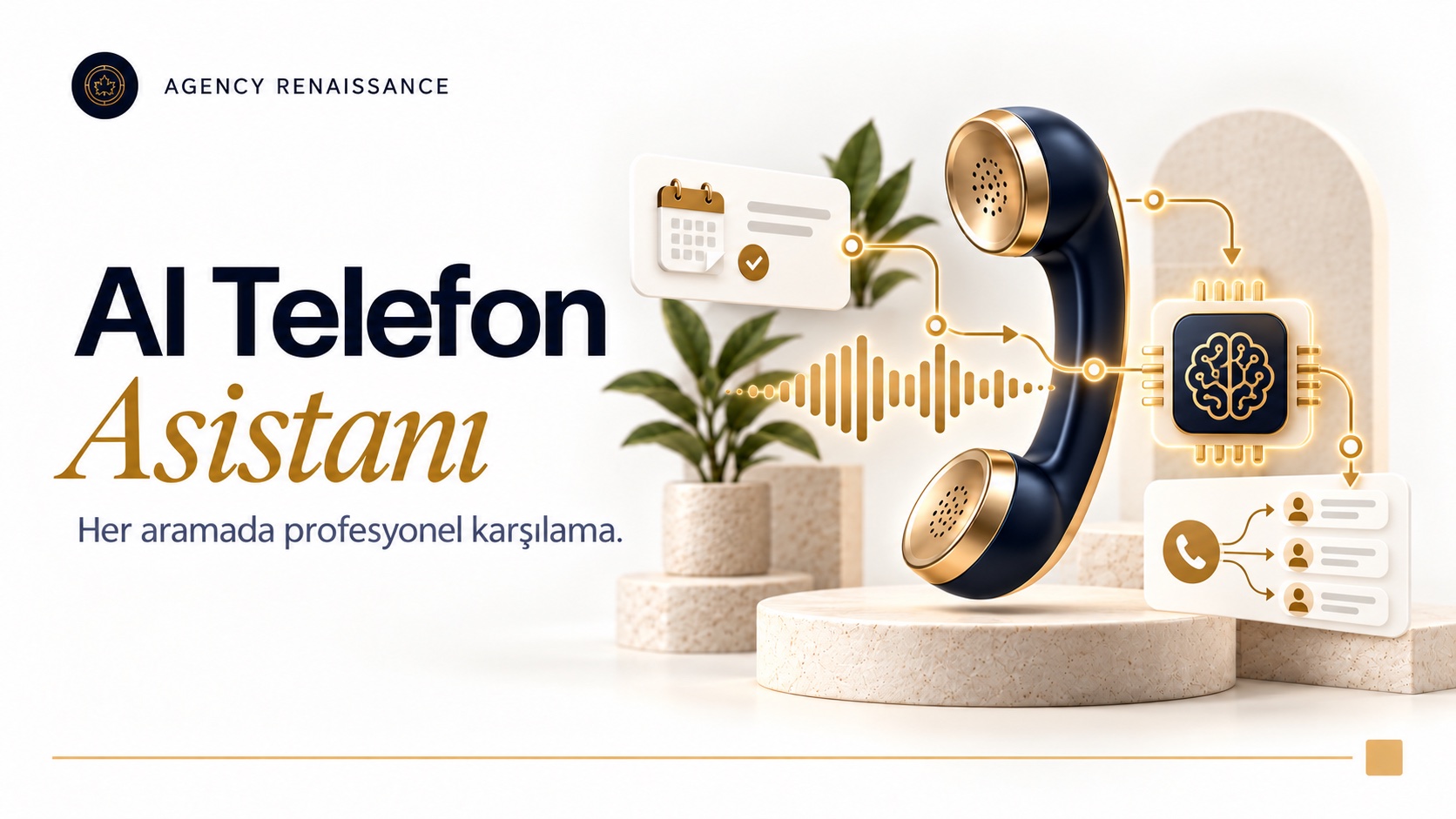
An AI assistant that speaks in a natural voice, calls your customers on your behalf and answers incoming calls. It tells customers a shipment is on the way, answers questions, takes orders and enters reservations in the calendar.
What it does
- Answers incoming calls 24/7 and responds to questions
- Calls your customers with shipping, order and delivery updates
- Takes orders by phone and records them in your system
- Creates reservations and adds them to Google Calendar
- Makes appointment and reservation reminder calls
- Handles order confirmations, satisfaction surveys and payment reminders
- Speaks natural, fluent Turkish and other languages when needed
- Hands the call to the right agent when necessary
- Reports a summary and recording of every call
How does it work?
The assistant connects to your business phone line. When a call comes in, it greets the customer, understands what they need and responds like a member of your team: it gives your opening hours, answers questions about a product or service, takes an order, or books a time slot and adds it to your Google Calendar. On outbound calls it works through a list you define: it tells customers their shipment is on the way, reminds them of an appointment or asks them to confirm an order.
Trained for your business
GPT, Claude or Gemini runs in the background, and the assistant is trained with your business information and the conversation flow you set. Together we decide which topics it can handle on its own and when it should pass the call to your team. A summary of every call is saved.
Who is it for?
It suits restaurants, hotels, clinics, e-commerce companies, businesses that ship and deliver, and any business that works by appointment and gets a lot of phone traffic.
AI phone assistant setup, step by step
An AI phone assistant is less a piece of software that picks up the phone than a written version of how your business talks on the phone. That is why setup starts with understanding your calls before any technical connection: who calls, when, for what, and which of those calls go unanswered today. We follow the steps below with every business; the timeline and scope depend on the variety of calls and the systems to be connected.
1. Mapping your calls
We sort incoming calls by topic: reservations, orders, questions about address and hours, shipment tracking, complaints. If you have switchboard or carrier reports, we also look at peak hours and missed calls at this stage. For outbound calls, we pin down which list you want to call, for what purpose and at what times.
2. Conversation flow and voice selection
For each type of call we write the assistant’s opening line, the questions it will ask and how it will close the conversation. On the phone the most important step is confirmation: the assistant reads back what it has heard, for example “Friday at eight in the evening, four people, is that right?” The tone of voice, speaking pace and form of address are chosen to fit your brand, and we prepare a separate pronunciation list so brand and product names are said correctly.
3. Line connection
The assistant can work on your existing number in three different setups: it answers all calls, it takes over only busy or unanswered calls, or it steps in only outside business hours. If you have a switchboard, the connection is made through it; for outbound calls, a separate number is often more orderly.
The rules on numbering and electronic communications are set by the Information and Communication Technologies Authority (BTK). If a Turkish number will be used, the line comes from an operator or switchboard provider authorized in Turkey. We plan the connection after reviewing your current contract and switchboard setup.
4. Test calls and phased rollout
Before launch, we make many practice calls with your team: different accents, noisy surroundings, interruptions, unexpected questions. In the first phase we usually start the assistant with a single task, for example only after-hours calls or only appointment reminders. As we review the recordings, its scope grows.
Common mistakes in phone flows
In AI phone assistant projects, problems usually come not from the voice itself but from how the conversation flow is written. During setup we pay particular attention to avoiding these mistakes:
- Making the opening announcement long; a long intro wears down the caller’s patience before the conversation has even started
- Asking for several pieces of information in one question; errors drop when a voice assistant asks for them one at a time
- Leaving the caller no way out; there should be an option to reach an agent at every stage
- Scheduling reminder calls at times when customers would be bothered
- Setting up an AI call assistant and never reading the call summaries
What information does the assistant work with?
“Training” the assistant does not mean retraining the GPT, Claude or Gemini model behind it. We give the model a knowledge base about your business, conversation rules and instructions on which system to consult and when. The AI call assistant takes language and context from the model and takes accurate information from sources you have approved.
What to prepare
- Practical information such as opening hours, address, directions and parking
- Your menu, product or service list and the prices that can be shared by phone
- Reservation and appointment rules: capacity, session length, cancellation and change terms
- Order rules: delivery area, minimum amount, payment options
- The shipping company you use, your delivery process and your return terms
- The correct pronunciation of brand, product and staff names
- Topics the assistant must never answer
If you have recorded calls, we study how customers phrase their questions using samples with personal details removed. The same request is expressed in very different ways on the phone; “Do you have room tomorrow?” and “Can I book a table for tonight?” mean the same thing. Seeing this variety in advance means the AI call assistant gets stuck less often in real conversations.
A knowledge base built for the phone
Information that works in a written channel does not always work on the phone. Reading out a forty-item menu helps no one, so the voice assistant first asks for a category and then offers a few options. It breaks long terms into short sentences and, if more detail is needed, points the caller to your website.
Information that keeps changing, such as free time slots in the calendar, order status and shipping details, is not written into the knowledge base. The voice assistant looks these up in the relevant system during the call, so it does not book a slot that is already full or show a delivered order as in transit. We update the fixed information in the knowledge base together whenever a price, menu or opening hour changes.
Integration with your calendar, CRM and order system
A phone call passes through several layers. The caller’s voice is turned into text, the language model understands the request and builds a reply, and the reply is read to the caller in a natural voice. This chain is connected to your systems through n8n workflows; keeping the voice layer separate from the business rules means that when you change one later, the other is not affected.
Systems we connect
- Google Calendar: checking free slots, creating reservations and the list for reminder calls
- CRM: the caller’s record, the call summary, a link to the recording if there is one, and the next step
- Order and e-commerce system: recording orders taken by phone, order confirmation and status lookups
- Shipping information: notification calls based on the list of orders handed to the carrier
- Payment records: reminder calls for payments that are due soon or overdue
When choosing the model, the deciding factor on the phone is latency: in a written chat a wait of a few seconds is hardly noticed, but on the phone even a short silence feels strange. For a voice assistant, we choose between GPT, Claude and Gemini by weighing response speed, comprehension quality in the caller’s language and cost together.
Example: how does a reservation call go?
The flow below is a simple example of how an AI phone assistant handles a reservation call at a restaurant. The steps and sentences are written separately for each business.
- The assistant greets the caller with your business name and mentions that the call is being recorded.
- The caller says they want a reservation; the assistant asks for the date, time and number of guests one by one.
- Availability is checked in Google Calendar through n8n; if the time is full, the nearest free times are suggested.
- The assistant reads the details back, gets confirmation and enters the reservation in the calendar.
- A summary of the call is written to the CRM; if you like, a reminder call is scheduled for the day before the reservation.
Planning outbound calls
On outbound calls, the AI phone assistant calls the list prepared by the n8n workflow within the time window you set. The list is usually generated automatically from a system: orders handed to the carrier that day, customers with an appointment the next day, or customers whose payment date is approaching. We decide with you how many times and at what intervals people who can’t be reached are called again.
Every outbound call should be short and have a single purpose: the assistant introduces itself and your business, states the reason for the call and, if needed, asks for one confirmation. If someone says they do not want to be called again, the request is recorded and the person is removed from later lists. The answers the AI call assistant collects, such as confirmed or canceled appointments, are written directly to your calendar and CRM.
If the phone is not your only channel, you can use the same knowledge base on your website. With a website AI chatbot we answer written questions, and with the AI phone assistant we answer spoken ones, from the same source. If you want to save callers as potential customers for your sales team, we can design the setup together with an AI lead generation flow.
Handoff to an agent: which calls should stay with a person?
A badly handled phone call can lose a customer faster than a written message. That is why we write the handoff rules with you at the very start of setup. When one of these rules is triggered, the AI call assistant routes the call to the right person or creates a callback request.
Situations that trigger a handoff
- When the caller says they want to speak to an employee
- When there is a complaint, a damaged product, a fee dispute or a return disagreement
- When the assistant fails to understand the caller several times in a row
- When a question comes up that needs expert advice, such as health, legal or financial matters
- When a request has no answer in the knowledge base or falls outside the rules
During business hours, the call is transferred to the extension or mobile phone you specify, and your agent can see a summary of the conversation; the caller does not have to explain the problem again from the start. Outside business hours, the AI phone assistant takes the caller’s name, number and topic and creates a callback record for the next day. For businesses such as clinics, we also make it a rule that a fixed sentence directing the caller to emergency services (112 in Turkey) is spoken when an emergency is mentioned.
Limits of the AI call assistant and KVKK
An AI phone assistant that speaks in a natural voice is impressive the first time you hear it, but in daily use, knowing its limits is the only way to set expectations correctly. We discuss the limits below with you openly before setup and design the conversation flow around them.
Limits of the technology
- Latency: There can be a short wait between a question and the reply; when both sides speak at once, the assistant sometimes yields the floor late.
- Audio quality: Noisy surroundings, speakerphone, a weak line and a strong accent increase comprehension errors.
- Strings of letters and digits: Names, addresses, email addresses and order numbers can be misheard; the assistant confirms them by repeating them back.
- Risk of made-up answers: The model can build a plausible but wrong answer to a question it does not know; we limit the assistant to speak only from the knowledge base and to hand off when it is not sure.
- Human preference: Some callers do not want to talk to AI; they should be offered the option of reaching an agent from the start.
Call recording and disclosure
The caller’s voice, name, phone number and the information shared in the call are personal data. The Turkish Personal Data Protection Law No. 6698 (KVKK) requires people to be informed when their data is collected; for this reason we recommend a short announcement at the start of the call saying that the conversation is being recorded and that the caller is speaking with an AI assistant. A detailed privacy notice should appear on your website, and the announcement should point to it.
The legal basis for recording, how long recordings are kept and who can access them vary from business to business; we recommend making these decisions with your legal advisor. Because voice and text may be sent to servers abroad for processing, KVKK’s rules on transfers abroad should also be assessed. If the summary is enough for most jobs, not keeping the full voice recording for a long time reduces risk.
Clinics and healthcare businesses need extra care, because health information counts as special category personal data. For these businesses we make it a rule that the assistant does not ask about complaints or diagnosis details and settles for the minimum information needed for an appointment. We also do not have the assistant take payment details such as card numbers over the phone.
Consent and İYS for outbound calls
Calls about an existing transaction, such as shipping notifications, appointment reminders and order confirmations, are not treated the same way as campaign and promotional calls. Promotional calls fall under commercial electronic messages and, as a rule, require the recipient to have given prior consent; these consents are recorded and checked through the Message Management System (İYS, Turkey’s commercial message consent registry).
Adding a campaign announcement to an informational call can change the nature of the call. That is why we run the two kinds of calls with separate lists and separate conversation flows. We recommend making the final assessment with your legal advisor, based on the audience you are calling and the content of the call.
How do we measure the voice assistant’s success?
To tell whether a voice assistant is working, you first need to know where you stand today. Before setup, we record the daily number of calls, missed calls and after-hours call volume from your switchboard or carrier reports. All later reports are compared against this starting point, so you see the change in records rather than guesses.
Indicators we track
- Answered calls: the change in the number of unanswered calls, especially at peak hours and outside business hours
- Calls the assistant completes: conversations finished without needing a handoff
- Handoffs and their reasons: which topics still need a person
- Business results: reservations and orders created by phone, and the number of customers who miss their appointment after reminder calls
- Calls ended early: conversations where the caller hangs up in the first few seconds
- Reachability on outbound calls: answered calls, missed calls and calls that ask for a callback
Alongside the numbers, we regularly listen to call summaries and sample recordings. Misunderstood words, drawn-out answers and unnecessary handoffs usually show up in these reviews. The AI phone assistant matures through these small corrections; if you want to look at all your AI channels together, take a look at our AI solutions page.
Frequently asked questions
Does the AI phone assistant work with my existing number?
In most cases the AI phone assistant is added to your existing number through call forwarding or a switchboard connection. It can be set up to answer all calls, only the ones that go unanswered, or only calls outside business hours.
Will callers know they are talking to AI?
The assistant speaks in a natural voice, but we do not recommend hiding that it is AI. Saying at the start that the caller is talking to an AI assistant builds trust and makes it easier for callers who prefer it to reach an agent.
Can the AI call assistant handle more than one call at a time?
The AI call assistant can run several conversations at once. In practice the limit is usually set by the concurrent call capacity of your phone line and switchboard.
Does the voice assistant speak languages other than Turkish?
Yes, the voice assistant can switch to the caller’s language or offer a language choice at the start of the call. Comprehension and pronunciation quality vary by language, so we test each language you plan to use separately before launch.
Where are call recordings stored, and for how long?
We decide with you during setup where recordings and summaries are kept, how long they are stored and who can access them. Summaries are usually written to your CRM; we recommend keeping the retention period for voice recordings short, in line with your KVKK obligations.
Talk to us about an AI phone assistant
Let’s work out together which of your calls suit the assistant, how your line will be connected and which systems will be integrated. Write to us through our contact page with your call volume and expectations, and we will put together a setup plan that fits your business.
Other services in this section
-
 WhatsApp AI Sales Assistant
An AI assistant connected to your WhatsApp line that knows your products and orders. It answers stock, price and shipping questions in…
-
Instagram AI Automation
Replies instantly to your Instagram DMs and post comments with AI, in your brand's voice. Answers product, stock and shipping questions, takes…
-
Website AI Chatbot
An AI assistant added to your website that answers visitors' questions instantly. It searches products, checks stock and shipping status, takes reservations…