Website AI Chatbot
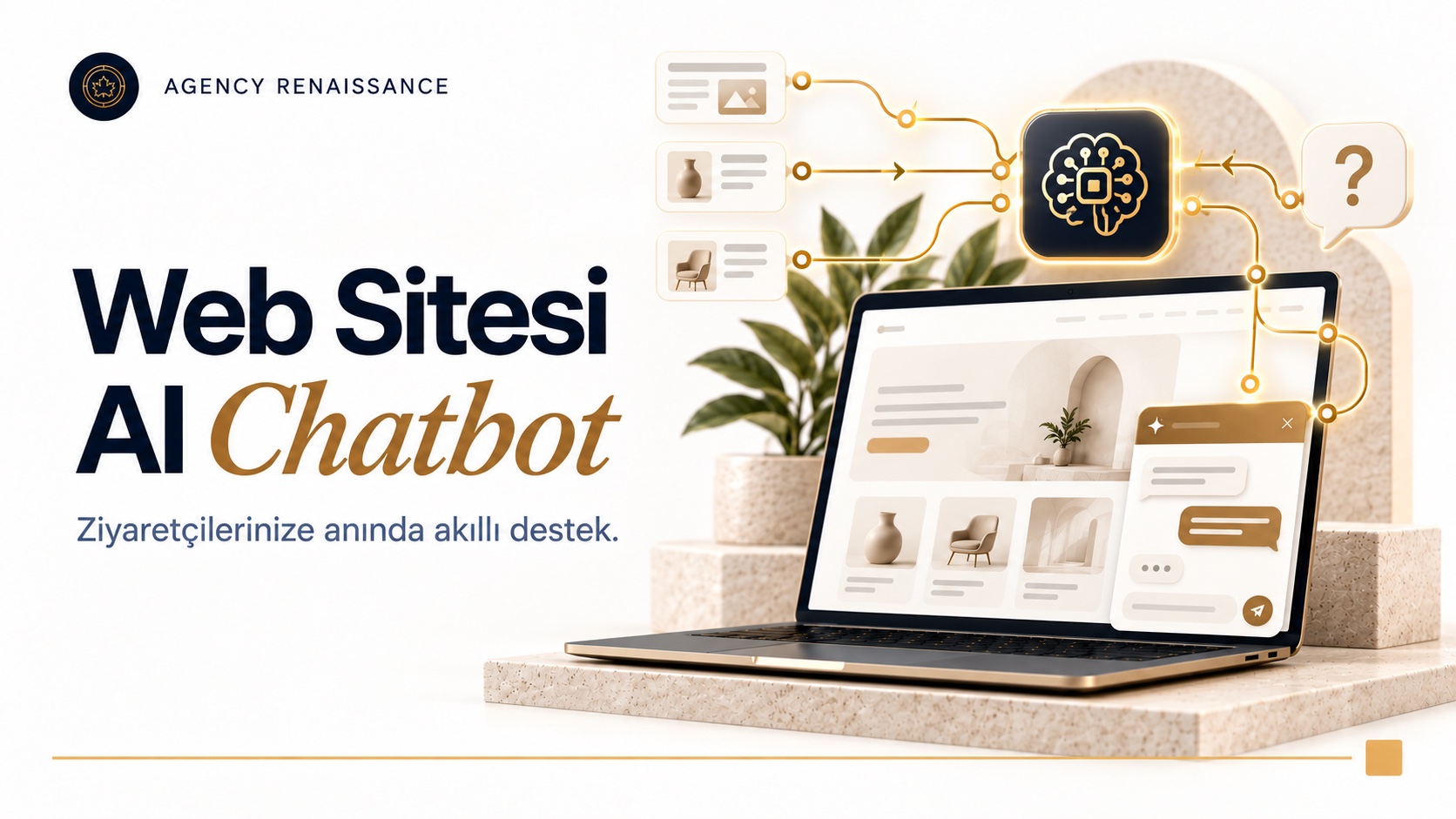
An AI assistant added to your website that answers visitors' questions instantly. It searches products, checks stock and shipping status, takes reservations and collects contact details; it does everything the WhatsApp and Instagram assistants do, inside your site.
What it does
- Answers visitors' questions instantly using your site's content
- Searches and compares products and recommends by need
- Checks stock, price and shipping status
- Takes reservations and appointments and adds them to Google Calendar
- Collects quotes and contact details through chat instead of a form and emails them to you
- Trained with your PDF catalogs, price lists and documents
- Detects the visitor's language and replies in that language
- Hands the conversation to WhatsApp or a live agent when needed
- Matches your site's design and works comfortably on mobile
- Reports the most frequently asked questions and conversations
How does it work?
A chat window that opens in the corner of your site passes the visitor’s question to the AI. The assistant finds the answer in your site’s pages, your product data and your own documents; if needed, it checks stock, shipping or calendar information on the spot. When a visitor asks for a quote or an appointment, it collects the required details in the chat and passes the request straight to you or to your CRM.
Trained for your business
GPT, Claude or Gemini runs in the background. We train the assistant with your website content, product catalog, price lists and frequently asked questions. It speaks only with your information; on a topic it doesn’t know, instead of guessing, it directs the visitor to your team.
Who is it for?
It suits e-commerce websites, corporate companies, hotels, clinics, educational institutions and service businesses that want to turn visitors into customers.
Where should the website AI chatbot window sit, and how should it look?
No matter how well a website AI chatbot answers, it is useless if the visitor doesn’t notice it or closes it right away because it covers the page. That is why, in setup, we design not only the quality of the answers but also the chat window’s place on your site, how it opens and how it behaves on mobile. The goal is an AI chatbot that is there when the visitor looks for it but doesn’t interrupt browsing.
Welcome message and auto-open
An AI chatbot window that expands as soon as the page opens bothers most visitors. We usually recommend starting with a small icon and writing the welcome message to match the page’s content. A sentence such as “Do you have a question about this product?” on a product page or “Let’s find the right plan for you together” on a pricing page makes a more meaningful start than a generic greeting.
Chat on mobile
On many sites, most visitors come from a phone. On mobile, an AI chat window can fill the whole screen; so the close button needs to be easy to find, the message being typed has to stay visible when the keyboard opens, and the window must not collide with fixed elements such as the add-to-cart or WhatsApp button. We test these details on phones with different screen sizes before launch.
Visual fit and introduction
The window’s colors, typeface, corner radius and the assistant’s name are set to match your site’s design language. Giving the assistant a name and a short introductory sentence makes it easier for visitors to understand what they are facing. In this introduction, we recommend stating clearly that they are chatting with an AI chatbot; when visitors know what they are talking to, they set their expectations accordingly.
Chat scenarios by page type
Which page the visitor is on says a lot about what their question might be. When an AI chatbot knows the page context, it does not have to guess which product or service the visitor means when they say “this.” That is why we write website AI chatbot scenarios separately for each page type.
- Product page: questions about size, measurements, compatibility, stock and delivery; comparison with similar products
- Category and search results: narrowing down the visitor’s need with a few questions and recommending suitable products
- Service and pricing pages: explaining which plan suits whom and collecting the information needed for a quote
- Cart and checkout step: last-minute questions such as shipping fee, payment options and return terms
- Blog and guide content: answering the reader’s question and directing them to a related product or service
- Contact page: answering simple questions asked before filling in the form and, if needed, booking an appointment
How is a product recommendation built?
When a visitor asks “which one is right for me?”, the AI chatbot does not name a product right away but first asks a few short questions: purpose of use, budget range, size or color preference. Then it chooses only from products that are in stock and explains the reason for its recommendation in a sentence or two. This way the visitor sees that the recommendation is not random.
For an accurate comparison, product information needs to be kept in order. When properties such as size, material, compatibility and warranty are kept in separate fields instead of scattered through the product description, the website AI chatbot can put two products side by side on the same criteria. This setup also improves your site’s filters and product pages.
Examples by industry
On an e-commerce website, the website AI chatbot mostly works on product discovery and post-order questions. At a hotel, room types, date availability and facilities come to the fore; at a clinic, general process information and appointments; at a B2B manufacturer, technical specifications and quote requests. The same infrastructure works with a different conversation design in each industry.
Chat instead of a form: when does it make sense?
A long quote form, especially on mobile, can lose the visitor halfway. Collecting information in a chat is less tiring because it asks questions one at a time, and the next question can change based on the answer given. Still, not every visitor wants to chat; so instead of removing the form entirely, we recommend offering both paths together.
The information collected in the chat lands in your email or CRM record just like requests from the form. The difference is that a short summary of the conversation comes along with the request: which product the visitor looked at, what they asked and what they were interested in. Your sales team makes the first call with this context.
The content the assistant reads: preparing your site
A website AI chatbot takes most of its answers from your site’s own pages. This means every missing, outdated or contradictory piece of information on your site will carry over into the chat window too. The content scan we do before setup is, in a way, a general health check of your site.
What we look at in the content scan
- Pages whose price, campaign or date has expired
- Places where the same topic is explained differently on different pages, for example two different shipping times
- Information locked inside images: pictures uploaded as a table or price list
- Technical information that exists only in downloadable PDF files
- Sections the assistant should not read: member area, old archive and test pages
The fixes that come out of the scan do not only help the assistant; the same gaps also make life harder for visitors and search engines. Pulling together the information on your site is therefore directly related to SEO work as well.
PDF catalogs, price lists and documents
Catalogs, technical data sheets and price lists that are not published on your site can also be added to the assistant’s knowledge base. Two questions need to be answered up front: Is the content of this document open to everyone, or only meant for your dealers? And which is the current version of the document? You would not want to share a list with dealer prices through an AI chatbot open to end users.
Deciding who will update each document and when the old version will be removed prevents contradictory answers later. If the old catalog is not taken out of the source when the new season’s catalog is uploaded, the AI chatbot has to choose between two catalogs.
Product data and freshness
The AI chatbot rereads the text on pages at set intervals, but that is not enough for information that can change during the day, such as stock and prices. For e-commerce sites, we set up a connection that queries this data directly from your infrastructure at the moment a question arrives. If you are thinking about rebuilding your site, you can also take a look at our e-commerce website service for a structure that accounts for the assistant from the start.
Speed, accessibility and security
Every piece of code added to your site can affect page speed and user experience. An AI chatbot window is, in the end, a script loaded on your site; how it is added directly affects your site’s performance and accessibility.
Protecting page speed
We add the chat window’s code so that it runs after the page’s main content has loaded; that way, visitors waiting for the page are not also waiting for the chat tool. Google’s Core Web Vitals metrics, which measure page experience, look at loading speed, response time to interactions and visual shift. By comparing these measurements before and after setup, we check whether the window slows your site down.
A window everyone can use
The chat window needs to open and close with the keyboard, screen readers need to be able to announce new messages and there must be enough contrast between text and background. These principles are described in detail in the guidelines published by the W3C’s Web Accessibility Initiative (WAI). An accessible window makes use easier for everyone, along with visitors who have visual or mobility difficulties.
Safeguards against misuse
A publicly open chat window does not only receive messages from real customers. Bots that send spam, users who try to pull the assistant off topic and messages aimed at extracting internal instructions also arrive. That is why we apply safeguards such as a message limit per visitor, restrict the assistant to speak only on topics related to your business and keep its permissions in connected systems narrow.
Information the visitor shares in the chat, such as name, email or phone number, is personal data. Linking from inside the window to the privacy notice on your site, and making sure the assistant asks only for the information the request requires, is a good start.
What do chat logs tell you about your site?
A website AI chatbot records, in your visitors’ own words, the information they looked for on your site and could not find. Analytics tools show which page was visited; chat logs tell you what people were curious about on that page. This difference is a valuable resource for improving your site.
- Missing information: if the same question is asked often on a product page, the answer is either not on that page or not visible.
- New content ideas: repeated questions are a ready topic list for a blog post or an FAQ section.
- Purchase barriers: questions asked at the cart and checkout step show the concerns that stop visitors.
- Products in demand: products or services that are asked about but that you do not offer can point to new opportunities.
- Language needs: the languages visitors write in give an idea of which languages your site should be translated into.
Seeing the chat’s contribution to sales
Steps such as the chat window being opened, a product being recommended or a request being left in the chat can be sent to your web analytics tool as separate events. This way, with your own data, you see how visitors who talk to the website AI chatbot move through the site, on which pages the chat is used more and how many requests come out of the chat.
When setting up this connection, your analytics and cookie preferences have to be respected; measurements the visitor has not consented to should not be run for the chat either. We decide together which events to track after reviewing your current analytics setup.
Reports
We regularly report the question topics and sample conversations that come out of the chats. We go through these reports with you not only to update the assistant’s knowledge base but also to improve your site’s copy, product pages and frequently asked questions section.
Setup and platform compatibility
A website AI chatbot works with a short piece of code added to your site, so it can be added to most WordPress, WooCommerce, Shopify or custom-built sites. The code can be placed directly in the theme, with a plugin or through a tag manager such as Google Tag Manager. Which route suits depends on who manages your site and how updates are made.
Where the code is added matters later on. In WordPress, if the code is written directly into the theme’s files, it can be wiped out by a theme update; so we prefer a route that updates do not affect, such as a child theme, a plugin or a tag manager. If another team maintains your site, sharing the location of the code with them too prevents confusion later.
Before opening the window to all visitors, we try it on a test copy of your site or in a way only your team can see. At this stage we check both the answers and how the window looks in different browsers and on different devices.
Appointment and reservation flow
For businesses that work by appointment, the AI chatbot can show the available times in Google Calendar as options to pick from in the chat. When the visitor picks a time, their name and contact details are taken, the entry is added to the calendar and the request is sent to you by email. We define rules such as opening hours, appointment lengths and how many bookings can be taken for the same time with you during setup.
Multilingual sites
If your site has more than one language version, the website AI chatbot answers in the language the visitor writes in. What needs attention here is the source of the answer: if information given to a visitor who asks in English, translated from the Turkish page, contradicts the English page, it must be decided from the start which one applies. We test details such as product names, units of measurement and currency separately for each language.
Handoff to a live agent and to WhatsApp
Some visitors want to talk to a person instead of an AI chatbot, or to continue later on their phone. In that case, the assistant can hand the conversation to a live agent during business hours or direct the visitor to WhatsApp. We decide together, based on your team’s working pattern, which path opens in which situation.
Frequently asked questions
Does a website AI chatbot slow down my site?
When the code is added so that it loads after the page’s main content, the effect usually stays limited. Even so, we measure page speed before and after setup and compare them.
Which website platforms does the AI chatbot work with?
Because the chat window is added with a short piece of code, it works on most WordPress, WooCommerce, Shopify and custom-built sites. For live data such as stock and orders to be read, the infrastructure needs to offer an API or a similar connection path.
What does the AI chatbot say to a question that is not on my site?
When the assistant can’t find the answer on your site, in your documents or in connected systems, it is set up to say so instead of guessing. Then it takes the visitor’s contact details and passes the question to your team, or directs the visitor to a live agent.
Can we change how the chat window looks?
Yes. The colors, typeface, assistant name, welcome messages and the window’s position are set to match your site’s design; welcome messages can also be written differently by page type.
What is the difference between an AI chatbot and live chat software?
In live chat software, an employee replies to every message. An AI chatbot answers questions itself using your site’s content and connected systems and hands only the conversations it considers necessary to a live agent; the two can also be used together.
Does a website AI chatbot help SEO?
A chat window by itself does not raise your search ranking. But the questions that stand out in chat logs show information missing from your site; when that information is added to your pages, your content becomes more useful to visitors.
Let’s plan the chat assistant that fits your site
Share your site’s address, the questions your visitors ask most and the systems you want connected; together we will work out which scenario to set up on which page for the website AI chatbot. If you are thinking about using the assistant on other channels besides the website, you can take a look at our chatbots and AI assistants page and reach us through our contact page.
Other services in this section
-
 WhatsApp AI Sales Assistant
An AI assistant connected to your WhatsApp line that knows your products and orders. It answers stock, price and shipping questions in…
-
Instagram AI Automation
Replies instantly to your Instagram DMs and post comments with AI, in your brand's voice. Answers product, stock and shipping questions, takes…
-
AI Lead Generation
Scans businesses in the categories and regions you choose on Google Maps and Yandex Maps, collects their contact details and analyzes them…