Instagram AI Automation
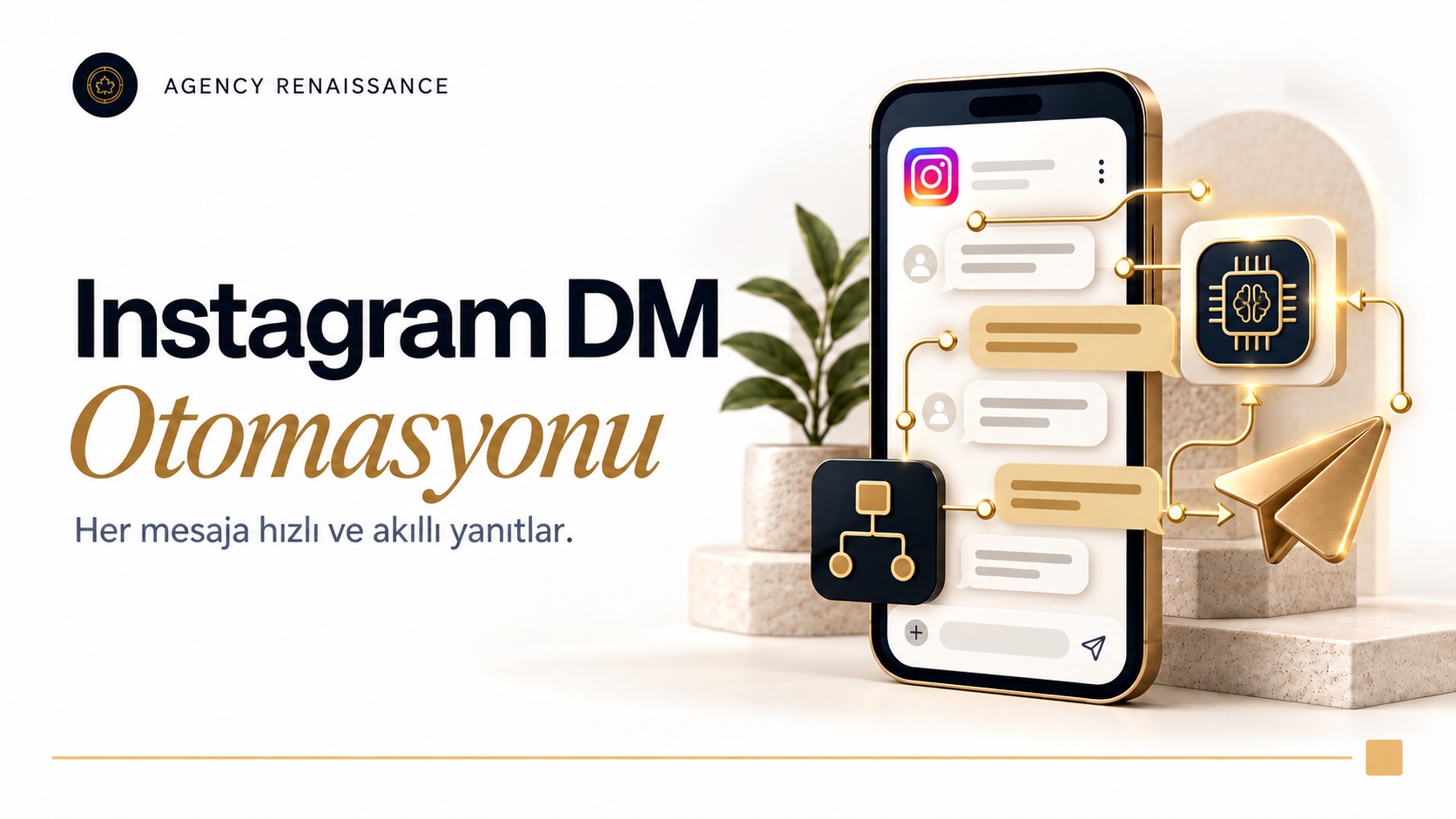
Replies instantly to your Instagram DMs and post comments with AI, in your brand's voice. Answers product, stock and shipping questions, takes reservations and moves followers who comment to a sale through DMs.
What it does
- Replies to DMs instantly, 24/7
- Answers post and Reels comments in a way that fits your brand
- Sends details by DM to people who comment "price" or "info"
- Takes reservations and appointments and adds them to Google Calendar
- Shares product features, stock and price information
- Reports shipping status with the order number
- Responds to story replies and tags
- Saves interested followers to the customer list
- Hands sensitive or complex conversations to your team
How does it work?
Your Instagram account is connected to the automation through the official Meta connection. When a new DM or comment arrives, the AI reads the message, understands what is being asked and, if needed, pulls stock, price or shipping information from your website. It gives comments a short, polite reply and sends the details by DM; that way the comment section stays tidy and the sales conversation continues in private.
The better it is trained, the better the answers
You can have the assistant answer any kind of question that comes to your Instagram page; how accurate its answers are depends on how it is trained. We teach the assistant your campaigns, product information, pricing policy and frequently asked questions, and over time we expand the knowledge base according to the questions that come in. We also decide together which topics it should not answer.
Who is it for?
It suits brands that sell on Instagram, boutiques, beauty and health businesses, restaurants and any business that takes reservations through DMs.
Setting up Instagram AI automation: how does the process go?
Instagram AI automation is not just connecting your account to software and leaving it on its own; the real work is designing together how the assistant answers each question. We start the setup by reviewing your existing DM traffic, and we open the assistant to your customers only after testing it with real message examples. The steps below follow the same order in every project; the scope changes with your message volume and the systems to be connected.
1. Account and permissions check
The official Meta connection works only with professional Instagram accounts, meaning business or creator accounts. Depending on the connection method, the account may also need to be linked to a Facebook page. In the first step, we clarify the account type, the admin permissions and who is currently answering DMs, using which tool.
2. Reviewing the message history
We go through the DMs and comments of recent weeks together and group the questions by topic: price, size, stock, shipping, returns, reservations, collaboration offers and so on. This grouping shows which topics Instagram DM automation can handle on its own and which it should leave to your team. If messages cluster around a few repeating questions, the effect of the automation is felt sooner.
3. Writing the conversation flows
For each group of questions, we write the flow the assistant will follow: what it asks first, where it pulls which information from and how it closes the conversation. In a reservation flow, for example, it asks for the number of guests, the date and the time, checks the calendar for availability and then sends a confirmation message. We also set your brand voice at this stage: whether the tone is casual or formal, how short the replies will be and which phrases to avoid.
4. Testing and phased launch
We first test the assistant with trial messages sent from your team’s accounts, then with real examples of questions that came in the past. At the first launch we usually give the assistant only certain topics or only the hours outside business hours; the scope grows as the replies are reviewed. This phased transition keeps a wrong reply from reaching many followers.
Common mistakes during setup
The problems that waste the most time in Instagram AI automation projects usually come not from the technical connection but from preparation. These are the typical mistakes we run into:
- Leaving the knowledge base incomplete and expecting the assistant to answer every question correctly on its own
- Making Instagram chatbot replies long; in a DM read on a phone screen, short sentences work better
- Answering every comment with the same sentence; repeated replies look mechanical to followers
- Forgetting to brief the assistant when a new campaign starts
- Setting up Instagram DM automation and never reading the conversation logs
What information is the assistant trained with?
When we say “training,” we do not mean training an AI model from scratch; we mean giving it a knowledge base and clear instructions specific to your business. The model understands language and builds the sentence; what it says comes from sources you have approved. That is why, no matter how advanced a model an Instagram chatbot runs on, the quality of its replies depends on the accuracy and freshness of the prepared content.
What we need from you
Below is the basic information we ask you to prepare for Instagram DM automation. It does not all need to be complete on day one; we fill in the gaps together according to the questions that come in during the first weeks.
- Your product or service list, key features and, if there are any, options such as size, color or session
- Pricing policy: fixed prices, discount conditions and whether prices are given over DM
- Your shipping, delivery, exchange and return terms
- Working hours, address, reservation rules and cancellation policy
- Examples of DM replies your team wrote in the past and that you liked
- A list of topics the assistant must never talk about
The difference between fixed information and live data
Information that rarely changes, such as working hours or return terms, is written into the knowledge base. Information that changes often, such as stock, price and shipping status, is not memorized by the assistant; when a question arrives, we have it pulled in real time from your website, your e-commerce platform or the shipment tracking link. That way, when a campaign ends or a product sells out, the Instagram chatbot does not repeat old information.
The knowledge base is not written once and left alone. Questions the assistant could not answer or passed to the team are listed regularly, and this list shows which information is missing. Updating before a new season, a new product or a new campaign starts is the maintenance task most often overlooked in Instagram DM automation.
Integrations and Meta’s messaging rules
Instagram AI automation is built from several parts working together: the Meta connection that receives messages, the AI model that produces the reply and the workflows that connect the two to your business systems. Knowing which part does what makes it easier to understand what will be affected when you want a change later.
Meta API and AI models
DMs and comments are received through webhook notifications over Meta’s official Instagram Platform interface; no passwords are shared and no unofficial tools are used. For the model that produces the reply, we choose one of GPT, Claude or Gemini. The deciding factors in the choice are Turkish reply quality, reply speed, cost per message and whether it needs to interpret messages with photos.
For the connection, an app and the required messaging permissions are set up on the Meta side; the person with authority on your account approves these permissions once. Your account password is not shared with us, and you can withdraw the access you gave at any time. Even if the model provider changes, the knowledge base and workflows stay the same, so moving to another model later does not mean setting everything up from scratch.
Calendar, stock and customer list with n8n
The assistant’s background tasks run through n8n workflows. n8n is an automation tool that connects different systems to each other and can also run on your own server. When a reservation is confirmed, an event is added to Google Calendar; when an order number arrives, the shipping status is checked; the name and request of an interested follower are written to your customer list or CRM.
You can use the same knowledge base on other channels as well. If you also get many questions on WhatsApp, with the WhatsApp AI sales assistant we make sure both channels draw on the same product and price information; whichever channel a customer writes from, they get the same answer.
The 24-hour window and comment rules in Instagram DM automation
Meta’s rules directly determine what the automation can do. The user always starts the conversation; your account cannot send a DM on its own to someone who has never written to you. After the user writes, the standard window for replying is 24 hours in most cases; for a person who clicked an ad that leads to DMs and sent the first message, this window can extend up to seven days.
The feature of sending details by DM to someone who commented also has limits. Only one private reply can be sent per comment, and this reply has to be delivered within seven days after the comment. If the person does not follow your account, the message goes to message requests instead of the inbox, and a second message cannot be sent until the person replies. That is why we design comment campaigns so that the first message works on its own.
Comment replies need separate thought, because they are public. Instagram AI automation gives comments short replies that do not repeat each other, and shares details such as price or personal information in DMs, not in the comment. We do not recommend automatic replies to negative or provocative comments; those are left to your team to assess.
A follower’s reply to your story also arrives as a DM and follows the same rules. The Instagram chatbot can respond to these replies with a short message that fits the topic and, if the product you showed in the story is being asked about, shares the relevant information.
In ad-supported campaigns, the comment and DM flow needs to be planned together with the ad setup. For the steps on the Meta Ads Manager side, take a look at our guide to advertising on Instagram.
Handoff to your team: when does the assistant step aside?
A good Instagram chatbot does not try to answer everything; it knows when to step back. We write the handoff rules with you during setup, and when one of these rules is triggered the assistant leaves the conversation to your team. In a handed-off conversation the assistant stays silent, so the customer is not messaging an employee and the automation at the same time.
Typical reasons for handoff
- When the customer clearly asks to speak to a person in charge
- When there is a complaint, a damaged product, a delayed order or a return dispute
- When a wholesale order, a special price, a collaboration or a press request comes in
- For questions that need expert knowledge, such as health, medication or personalized treatment
- When the assistant cannot find the answer in the knowledge base or is not sure of the answer
- When the tone of the message is angry or sensitive
At the moment of handoff, your team gets a notification through the channel you set, along with a short summary of the conversation; your representative does not have to read the thread from the start. The customer also gets a message saying the matter has been passed to the team and when to expect a reply. Your team can reply from the Instagram app; if the reply goes out through the API, Meta gives a separate seven-day window for human agent replies.
The most common mistake with handoff rules in Instagram DM automation is either leaving everything to the assistant or, the other way around, routing almost every conversation to the team. The first raises the risk of wrong answers, the second takes away the point of the automation. We adjust the balance together by looking at the conversation logs of the first weeks.
What can’t an Instagram chatbot do? Limits and KVKK
AI models understand language well but are not infallible. To a question that is not in the knowledge base, they can produce an answer that looks convincing but is wrong; that is why we configure the assistant to answer only from approved sources and to hand off when it is not sure. This restriction makes the assistant a bit more cautious, but that is better than it giving a wrong price or wrong stock information.
Technical limits you should know
- Messages with slang, heavy abbreviations, typos and irony can be misunderstood.
- Voice messages, screenshots and product photos may not always be interpreted correctly; we write separate rules for these kinds of messages.
- Changes to Meta’s interface and permissions can cause some features to stop working for a while.
- The assistant cannot write on its own to people whose message window has expired or who have never written to you; bulk DM sending is not part of this setup.
Personal data and KVKK
Names, phone numbers, addresses and order details shared in DMs are personal data and are assessed under KVKK (Turkish Personal Data Protection Law No. 6698). When setting up Instagram AI automation, we make sure the assistant asks only for the information the job needs and never requests data such as card details or ID numbers over DM. Adding the Instagram channel to your privacy notice and making that notice reachable from your profile is a good start.
Messages are processed on the AI provider’s servers to produce replies, and these servers may be abroad. This brings up KVKK’s rules on transfers abroad; we recommend settling the choice of provider and the retention period of conversation logs with your legal counsel. In beauty and health businesses, health information counts as special category data, so we also add a separate rule that the assistant does not ask for such details.
Meta also asks that automated chats tell users they are talking to an automated service where the applicable law requires it, and recommends this as a general good practice. We likewise recommend stating clearly in the welcome message that the user is chatting with an AI assistant.
How do we measure success?
We measure whether Instagram DM automation works not by guessing but by comparing with the situation before setup. That is why, before launch, we record a few weeks of your message traffic as a baseline: how many DMs arrive per day, how long the first reply takes and how many messages go unanswered. Later reports are always compared against this baseline.
The indicators we track
- First reply time: how it changes, especially for messages that arrive in the evening and on weekends
- Conversations the assistant closes: the share of conversations that finish without being passed to the team
- Handoff reasons: which topics still need a person and what is missing in the knowledge base
- Comment to DM transition: how many of the followers who write “price” or “info” continue the conversation in DMs
- Concrete results: reservations and orders that come from DMs, people saved to the customer list
- Wrong replies: wrong or incomplete replies flagged by your team
Besides the numbers, we also read the conversations themselves. In the weekly review, we pick sample conversations and look at whether the replies are correct, short and in line with your brand voice. For an Instagram chatbot, the real improvement usually comes from the small fixes that come out of this reading.
We take care not to tie success to a single indicator. If reply time shrinks while passed-on complaints go up, or if the number of comments rises while sales stay the same, something is wrong somewhere in the flow. That is why Instagram AI automation is a system that needs regular maintenance even after setup; if you want to see our other AI channels together, take a look at our AI solutions page.
Frequently asked questions
Which accounts does Instagram AI automation work on?
Because Instagram AI automation connects through Meta’s official interface, it works on professional Instagram accounts, meaning business or creator accounts. A personal account can be switched to a professional account in settings.
Does Instagram DM automation put my account at risk?
Instagram DM automation set up with the official Meta API does not require sharing the account password and works within Meta’s messaging rules. The risks come mostly from unofficial tools that sign in with a password and from attempts to send bulk messages without permission.
What happens if the assistant gives wrong information?
We set up the assistant to answer only from the knowledge base you approve and from live data on your site; when it is not sure, it hands the conversation to your team. The chance of error is still not zero, so flagged replies are corrected in the weekly review.
Can my team take over a conversation the assistant is handling?
Yes. Your team keeps seeing conversations in the Instagram inbox and can take over when needed; in a conversation that has been taken over, the assistant stops replying.
Does the Instagram chatbot understand voice messages and photos?
Depending on the model used, interpreting photo and audio content is possible, but these replies are not as reliable as with written messages. For such messages, we usually define a rule that asks a short confirmation question or hands the conversation to the team.
The first step for Instagram AI automation
Let’s look together at which part of your DMs and comments suits automation. Send us your account, the questions you get most often and the systems you want connected through our contact page, and we will work out the setup scope that fits you.
Other services in this section
-
 WhatsApp AI Sales Assistant
An AI assistant connected to your WhatsApp line that knows your products and orders. It answers stock, price and shipping questions in…
-
Website AI Chatbot
An AI assistant added to your website that answers visitors' questions instantly. It searches products, checks stock and shipping status, takes reservations…
-
AI Lead Generation
Scans businesses in the categories and regions you choose on Google Maps and Yandex Maps, collects their contact details and analyzes them…