AI Lead Generation
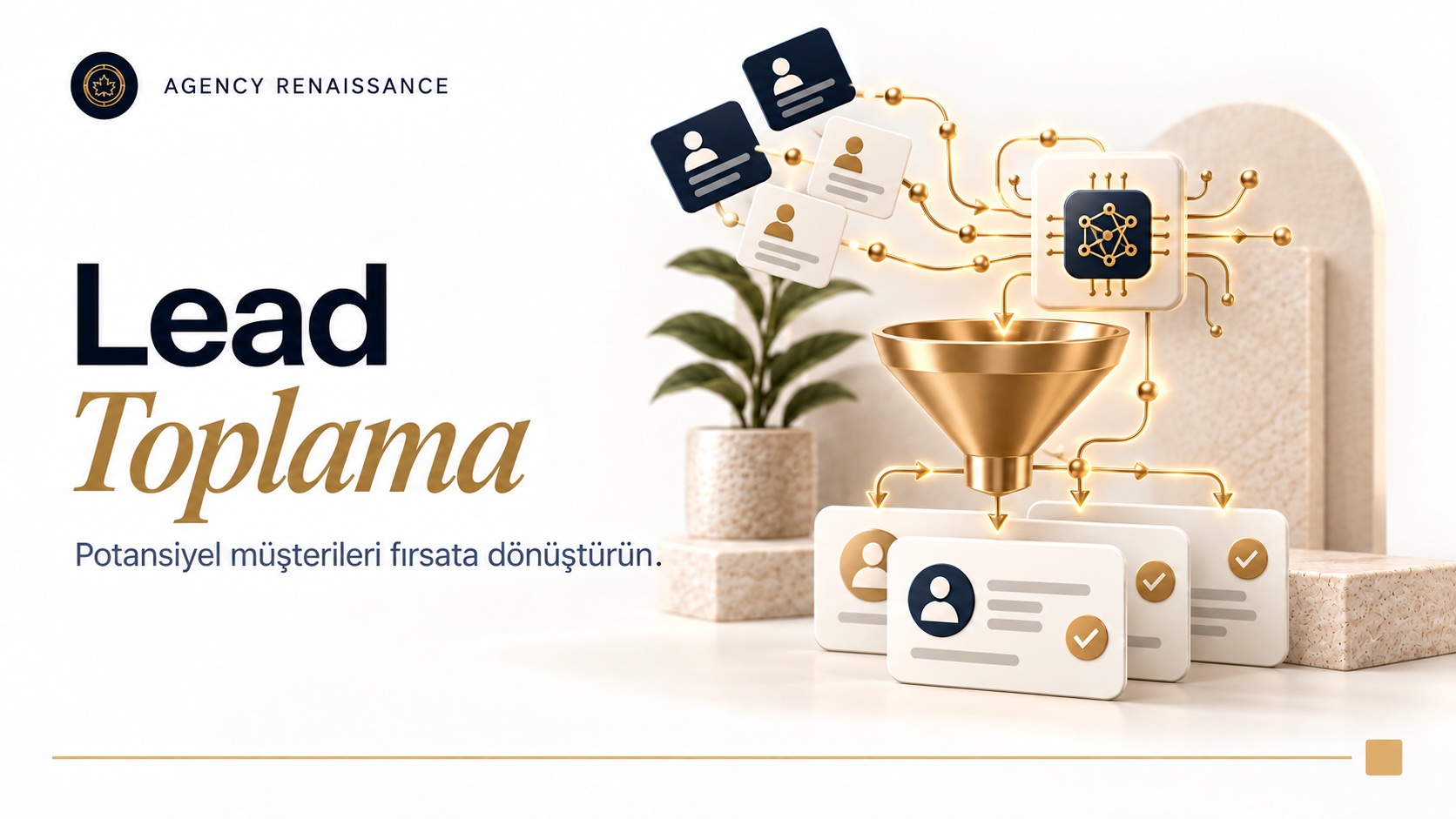
Scans businesses in the categories and regions you choose on Google Maps and Yandex Maps, collects their contact details and analyzes them with AI. If you want, it adds LinkedIn research and delivers a sales-ready prospect list.
What it does
- Collects businesses from Google Maps and Yandex Maps by category and region
- Lists business name, address, phone, website, rating and review count
- Adds company and decision-maker research from LinkedIn
- Scores and prioritizes prospects with AI
- Reviews the website and summarizes the business's needs
- Detects the technologies the company uses
- Removes duplicate records
- Prepares a first-message draft tailored to each business
- Exports results to Google Sheets or your CRM
- Runs automatically at the intervals you set
How does it work?
We start by defining your target, for example “dental clinics in Istanbul” or “boutique hotels in Antalya”. The automation collects businesses in those categories and areas from Google Maps and Yandex Maps and pulls each record’s contact details, website, rating and review count. Then AI reviews each business’s website and summarizes what the business does and what it might need. If you want, LinkedIn and company research are added too.
A sales-ready list
The collected records are cleared of duplicates, scored by how well they fit you and exported to your Google Sheets file or your CRM. A personalized first-message draft is also prepared for each business. Your sales team starts working with researched prospects instead of a cold list.
Who is it for?
It suits B2B companies, agencies, software firms, wholesalers and any business looking for new customers in a specific region. Only publicly available business information is collected.
The difference between AI lead generation and buying a ready-made list
AI lead generation means building a current prospect list from businesses that are active today in the region and sector you define, instead of leaving it to guesswork or an old list to decide whom your sales team will call. Ready-made purchased lists often consist of records where it is unclear who compiled them, when and from which source. In a workflow you set up yourself, you know the source of every record, the date it was collected and why it made the list.
Where does your sales team’s time go?
Finding prospects by hand usually goes like this: you search on the map, open businesses one by one, copy the phone number and website into a spreadsheet, then look at the site and decide whether the business is a fit. This work is valuable but repetitive, and it takes time away from the conversations that are your sales team’s real job. AI lead generation hands the repetitive part to automation and leaves the decisions and the conversations with your team.
Outbound and inbound demand
This service is outbound: it finds businesses that have not reached out to you yet and makes it easier for your team to take the first step. Collecting leads from visitors who already come to your site is a separate job, and a website AI chatbot is a better starting point for that. When both flows connect to the same CRM, your sales team sees all prospects in one place.
Defining your target profile for lead generation
The quality of a lead generation workflow depends first of all on how clearly you describe who you are looking for. Broad definitions such as “SMBs” or “companies in Istanbul” produce thousands of records, but most of them are prospects your team would never pursue. When we write the target profile together, we look for answers to these questions:
- Sector and category: which category the business is listed under on the maps; for example, “dental clinic”, “oral and dental health center” and “orthodontist” can be separate categories.
- Region: which areas will be scanned at the province, district or neighborhood level, and how far you can serve.
- Size signals: clues about the size of the business, such as review count, number of branches or a team page on its website.
- Exclusion rules: chain stores, your existing customers, your competitors or segments you do not want to work with.
- Reason to sell: what these businesses could buy from you and what signal shows it.
An example target definition
Consider a wholesaler that sells industrial kitchen equipment. Instead of “restaurants”, a more useful definition could be: restaurants and cafes in the central districts of Izmir that have at least a few hundred reviews and have recently opened a new branch or are newly opened, excluding chain brands and existing customers. This definition directly shapes both the map search and the scoring criteria.
The more concrete the definition, the shorter and more useful the resulting lead list. You can also start with a broad definition and narrow it later, but then your team has more records to filter out in the first lists.
Google Maps and Yandex Maps together
The records of the two map services do not match one to one. A business may be up to date on one and incomplete or missing on the other, and category names differ between services. Scanning both sources during lead generation widens the list, but it creates new work, such as the same business appearing twice. That is why the duplicate-removal step comes right after the collection step.
Starting small
We recommend running the first AI lead generation with a single category and a single region. After your sales team has had a few conversations with this first list, you can see which records actually work, and the scoring criteria and target profile are adjusted based on that experience. Only then is the scope expanded to new regions and categories.
Scoring: which business should be called first?
The most time-consuming part of finding prospects is deciding who to call first. In a list of hundreds of records, not every business has the same priority. AI-assisted scoring evaluates each record against the criteria you set and sorts the list starting from the best-fitting prospect. The score is an estimate of how well a business may fit you; it does not replace the sales decision, but it makes clear where your team should start.
Signals that make up the score
- Category fit: whether the business is really in your target sector; the map category is sometimes misleading, and the website confirms this information.
- Rating and review count: a rough indication of how active the business is and its customer volume.
- State of the website: whether there is a site, whether it opens properly on mobile and whether it looks like it has not been updated for a long time.
- Technologies used: what platform the site is built on and whether it has an online booking or e-commerce system.
- Signs of need: the summary AI draws from reviewing the website; for example, a new branch announcement, job postings or missing service information.
How much weight each signal carries depends on what you sell. For an agency selling web design, a business without a website gets a high score, while for a company selling software integration, businesses using a particular e-commerce platform stand out. We set the weights with you and update them after the first lists based on your team’s feedback.
What do LinkedIn and company research add?
A map listing gives you the business’s phone number, but it does not tell you whom to talk to. In corporate sales, the real question is who makes the purchasing decision. LinkedIn and company research come in at this point: the company’s approximate size, its field of activity and the title of the decision maker in the relevant department are added to the list.
Because this research takes extra time and resources for each record, it is not needed in every list. When working with a local cafe, reaching the owner by phone is often enough; if you are selling to a manufacturing company, prospecting is incomplete without finding the right person. Applying the research only to records above a certain score is a balanced approach.
What does a website summary look like?
The summary AI produces for each record is a few lines of notes the sales representative reads before the call. For a boutique hotel, for example, a note might read: “No online booking on the site, only phone and email given; English page missing; last announcement is from last season.” A note like this turns every row in the AI lead generation list into a conversation topic for your team.
We decide together which headings the note will contain, depending on the service you sell. For a company selling accounting software, the number of branches and the corporate structure matter, while for a photo studio the quality of the images on the website may be more meaningful. The value of prospecting depends on how well these notes fit your sales conversation.
The limits of scoring
The summary AI draws from a website is only as accurate as the information on the site. A site that has not been updated for a long time may not reflect the business’s situation today, and review count does not mean the same thing in every sector. That is why we recommend treating the score as a sorting tool and doing a short check before the call, especially for important prospects.
Data quality: what can go wrong in a lead list?
Map data is not error-free, because it is entered by the businesses themselves or by users. Knowing the typical problems in the lead generation process helps you approach the list with realistic expectations.
- Closed businesses: records that are not marked as permanently closed can keep appearing on the map.
- Duplicate records: the same business may be listed on two services or under different names.
- Headquarters and branch confusion: in chain businesses each branch is a separate record, but the purchasing decision is often made at headquarters.
- Generic numbers: the listed phone may lead to a call center or a switchboard.
- Missing website: some businesses may have a website that was never added to their map listing.
How do we remove duplicates?
Matching records by business name alone is not enough; “ABC Dental Clinic” and “ABC Oral and Dental Health” can be the same place. Converting phone numbers to a single format and comparing them, and checking the website domain and the address together, gives much more reliable results. When the workflow runs again at set intervals, records that were already added to the list or already exist in your CRM can be filtered out as well.
Keeping the list current
Business information gets old over time: phone numbers change, new businesses open and some close or change hands. A lead generation list that is run once and left alone starts to look like a purchased ready-made list after a few months. Running the workflow again at set intervals is how you catch newly opened businesses and update old records.
First-message drafts and handoff to the sales team
The first-message draft prepared for each business is based on the summary AI drew from that business’s website. A good draft names the business and what it does correctly, explains in one sentence why you are writing to it and stays short. A bad draft is just a generic text that could be sent to anyone with the business name dropped in.
Reviewing the draft
Drafts are a starting point, not text ready to send. AI can misread information on a website or mention a service the business no longer offers. That is why we recommend having someone on your team read and correct the draft before first contact; in the first lists, this check also helps settle the tone of the messages.
Which channel should you use?
Finding a prospect is the first half of the work; the second half is reaching them through the right channel. Phone, email and LinkedIn each work in different situations. Local service businesses are often easier to reach by phone, while for corporate companies reaching the decision maker through LinkedIn or email may be more suitable. The choice of channel also determines the length and language of the first message.
Follow-up routine
No reply to the first message does not mean the prospect is uninterested. Deciding in advance how many times, at what intervals and through which channel you will reach out again prevents both bothering the prospect and forgetting. Recording every contact attempt also prevents confusion such as two different sales representatives contacting the same business.
Export to Google Sheets or your CRM
The list is useful when it is exported to the place your sales team already uses. In a Google Sheets file, each record can have columns for score, need summary, first-message draft and status; if you use a CRM, records can be opened directly as prospects. We plan the technical side of the CRM connection with our experience in API and system integrations.
Having your team log conversation outcomes in the same sheet or CRM is the healthiest way to improve AI lead generation scoring. Once you know which prospects were spoken to, which were not interested and which turned into quotes, the weight of the criteria can be updated based on real results.
What we need from you for lead generation
- Target sectors, map categories and the regions to scan
- A list of existing customers and competitors you do not want to see in the list
- A few example customers you have been happy to work with, so we can understand what an ideal prospect looks like
- The signals you want to stand out in scoring
- The Google Sheets file or CRM access the list will be exported to
The legal framework: KVKK and commercial message rules
Only publicly available business information is collected in the AI lead generation process. However, the fact that information is public does not mean it can be freely used for any purpose. The headings below are for general information; we recommend getting your legal counsel’s assessment for your own use.
- Sole proprietorships: the name and phone number of a sole proprietorship may be directly tied to the business owner, so they can count as personal data and are assessed under Law No. 6698 (KVKK, the Turkish Personal Data Protection Law).
- Decision maker information: a person’s name and title added through LinkedIn research are personal data; you should keep only as much as your sales purpose requires.
- Commercial electronic messages: promotional communication by means such as email, SMS and phone is regulated by Law No. 6563 (the Turkish Law on the Regulation of Electronic Commerce) and the related regulation. Whether the recipient is a merchant or a tradesperson can affect the consent rules, but the recipient’s right to refuse the message is always preserved.
- Opt-out requests: businesses that say they no longer want to be contacted should be removed from the list and kept out of later runs as well.
Commercial message consent and refusal records are managed through the Message Management System (İYS, Turkey’s commercial message consent registry); you can find guidance on personal data on the Turkish Personal Data Protection Authority (KVKK) site.
Frequently asked questions
What sources does AI lead generation collect data from?
The business’s name, address, phone number, website, map rating and review count are collected from public business listings on Google Maps and Yandex Maps. Optionally, the business’s website is reviewed and company and decision-maker research is added through LinkedIn.
How often can lead generation run?
The AI lead generation workflow can be set up to run automatically at the intervals you choose. Each run adds new records to the list, and records collected before are filtered out as duplicates.
Which sectors are suitable for finding prospects?
It is the best source for businesses that are listed by category on the maps and have a physical address, such as clinics, hotels, restaurants, stores, workshops and offices. For companies that are not listed on the maps or work only online, LinkedIn research is more decisive.
Can we set the AI lead generation scoring criteria ourselves?
Yes. We decide together how much weight each signal carries, depending on the product or service you sell. The criteria can be updated over time based on your team’s conversation outcomes.
Can we send bulk email to the collected list?
Promotional electronic messages fall under Law No. 6563, and the recipient’s right to refuse is always preserved. Instead of bulk sending, we recommend going ahead with reviewed, personalized first messages and clarifying your legal obligations with your legal counsel.
What is the difference between AI lead generation and requests coming from the website?
AI lead generation is an outbound effort that finds and lists businesses that have not reached out to you yet. Collecting leads from visitors to your website is an inbound job and is done with a chat assistant or forms.
Let’s define your target list together
Tell us who you want to sell to, which regions you work in and how your sales team finds prospects today; we will set the category, region and scoring criteria together for the first run of the AI lead generation workflow. You can see our other automation options on our AI solutions page, and you can write to us through our contact page.
Other services in this section
-
 WhatsApp AI Sales Assistant
An AI assistant connected to your WhatsApp line that knows your products and orders. It answers stock, price and shipping questions in…
-
Instagram AI Automation
Replies instantly to your Instagram DMs and post comments with AI, in your brand's voice. Answers product, stock and shipping questions, takes…
-
Website AI Chatbot
An AI assistant added to your website that answers visitors' questions instantly. It searches products, checks stock and shipping status, takes reservations…